

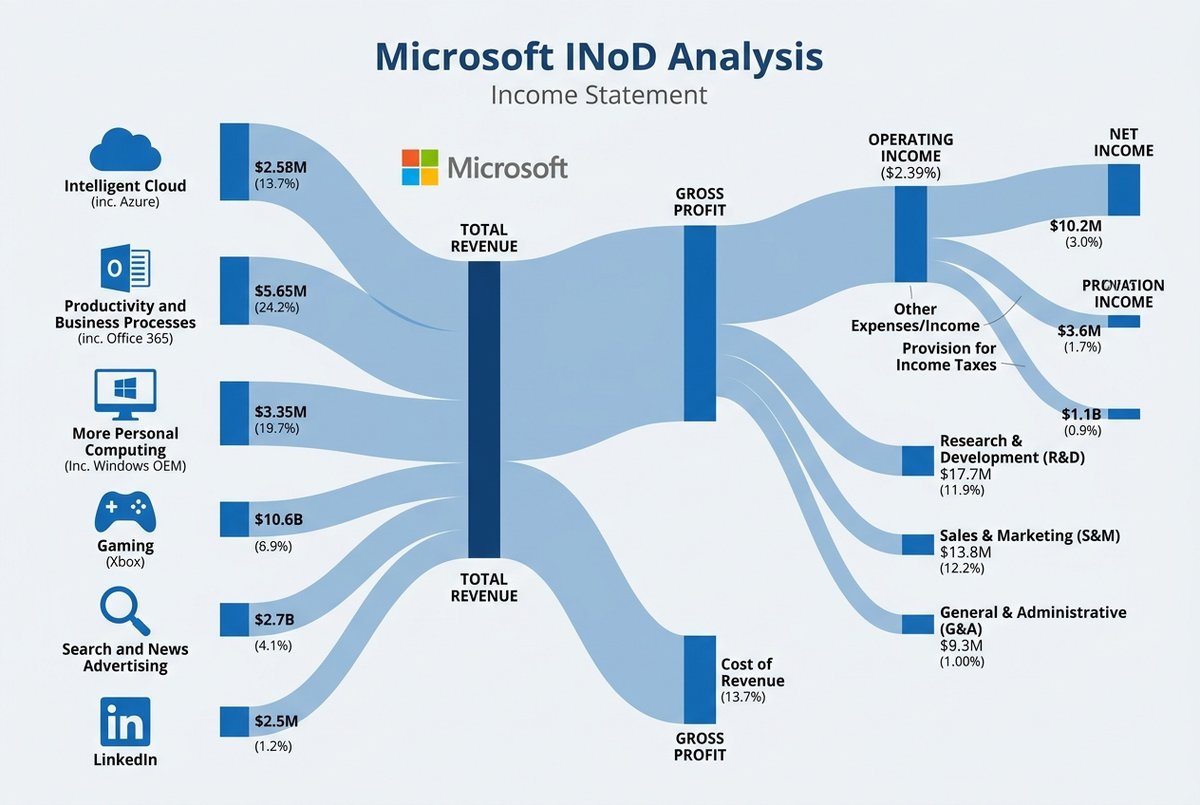
Branded Corporate Income Statement Sankey Diagram Template - Prompt AI Chọn Lọc
Câu Lệnh Prompt Gốc (100% Nguyên Bản)
[Subject]: A professional financial Sankey diagram visualizing the Income Statement of a major corporation, in the style of "App Economy Insights" and US corporate financial reports.[Visual Style]: High-fidelity vector infographic, clean minimalist aesthetic, flat design. The background is a clean, very light grey or off-white.[Color Strategy - CRITICAL]:

Analyze the [Insert Brand Name Here] logo. Extract its primary brand color (e.g., if Nvidia use neon green, if Meta use blue, if Tesla use red).

Use this primary color as the dominant theme for the main revenue flows and profit blocks.

Create a harmonious color palette based on this primary color: use saturated shades for the vertical nodes (bars) and semi-transparent, lighter opacity gradients for the flowing paths to ensure a cohesive and professional look. Avoid clashing colors.[Composition & Structure]:

Flow: A horizontal flow from Left (Revenue Sources) to Right (Net Profit).

Texture: The connecting paths (flows) must appear "silky smooth" with elegant Bezier curves, looking like liquid ribbons, not jagged lines.

Iconography: On the left side (Revenue sources), include specific, minimalist flat vector icons representing the business segments (e.g., a car icon for automotive, a cloud icon for services, a chip icon for hardware).

Branding: Place the official [Insert Brand Name Here] logo clearly at the top center or near the central revenue bar.[Details]: High resolution, 4k, sharp typography (sans-serif), professional data visualization layout. The chart clearly distinguishes between Revenue, Gross Profit, Operating Expenses, and Net Profit.
[!TIP] Sao chép nguyên vẹn prompt trên và đưa vào mô hình AI tương ứng.
Nguồn: congcu.ai
Comments
Join the discussionNo comments yet. Be the first to comment.
Tutorial
Nơi đây chia sẻ các tutorial, mẹo hay và thủ thuật công nghệ, giúp bạn khám phá công cụ mới và làm việc hiệu quả hơn.