

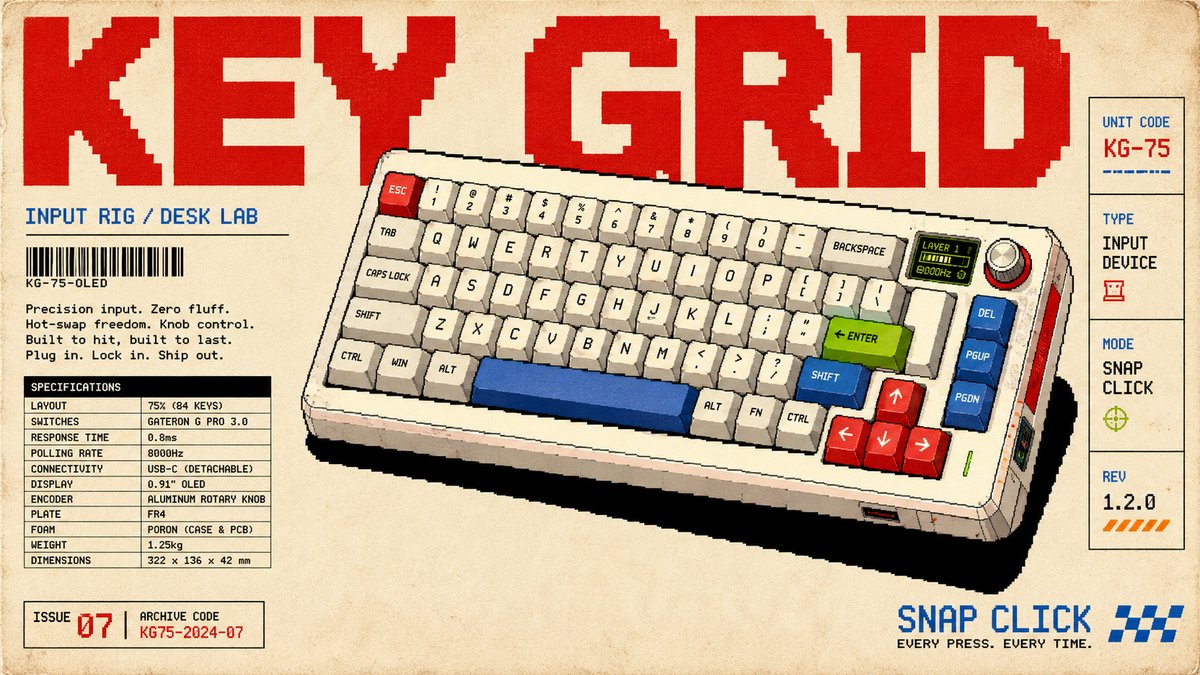
Pixel-Art Hardware Catalog Áp phích nghệ thuật Series - Prompt AI Chọn Lọc
Câu Lệnh Prompt Gốc (100% Nguyên Bản)
{

  "style_rules": {

    "background": "aged cream paper with subtle grain",

    "hero_object": "one hardware device in crisp pixel art, 3/4 view, floating with hard-edged solid black flat shadow — every button, knob and port snapped to the pixel grid; device overlaps and cuts into the red title letters",

    "object_palette": "white/cream body + red + blue + lime green + orange accents + black details",

    "title": "giant red pixel 2-word title full width at top",

    "left_column": "category label + barcode + short body copy + realistic spec table",

    "right_sidebar": "vertical stack: unit code / type / mode / rev",

    "corner_index": "ISSUE + archive code",

    "secondary_slogan": "pixel-font phrase bottom right",

    "format": "16:9 horizontal"

  },

  "negative": "photorealistic, smooth anti-alias, soft shadows, melted buttons, more than 5 accent colors",

  "variables": {

    "set": [

      "KEY GRID | 75% mechanical keyboard + OLED knob | INPUT RIG / DESK LAB | GATERON / 0.8ms | SNAP CLICK",

      "HEAT MAP | handheld thermal camera | THERMAL SCAN / FIELD TEST 03 | 256x192 / 25Hz | SEE HEAT",

      "TAPE DECK | portable cassette recorder | FIELD AUDIO / UNIT 12 | 1 7/8 IPS / 70µs | HOLD TONE",

      "WAVE SCOPE | dual-channel oscilloscope | SIGNAL LAB / BENCH UNIT | 100MHz / 1GSa/s | CATCH EDGE"

    ]

  }

}
[!TIP] Sao chép nguyên vẹn prompt trên và đưa vào mô hình AI tương ứng.
Nguồn: congcu.ai
Comments
Join the discussionNo comments yet. Be the first to comment.
Tutorial
Nơi đây chia sẻ các tutorial, mẹo hay và thủ thuật công nghệ, giúp bạn khám phá công cụ mới và làm việc hiệu quả hơn.